viewer
Modify metadata in a g4x-viewer.zarr store
Exports or imports metadata tables for an existing g4x-viewer.zarr.
Each viewer data layer has its own subcommand:
imagesfor multiplex image channel metadatacellsfor cell labels, label colors, and UMAP coordinatestranscriptsfor gene colors and gene display order
The recommended workflow is to export the current metadata, edit the exported CSV, and import the modified file back into the same g4x-viewer.zarr.
Usage
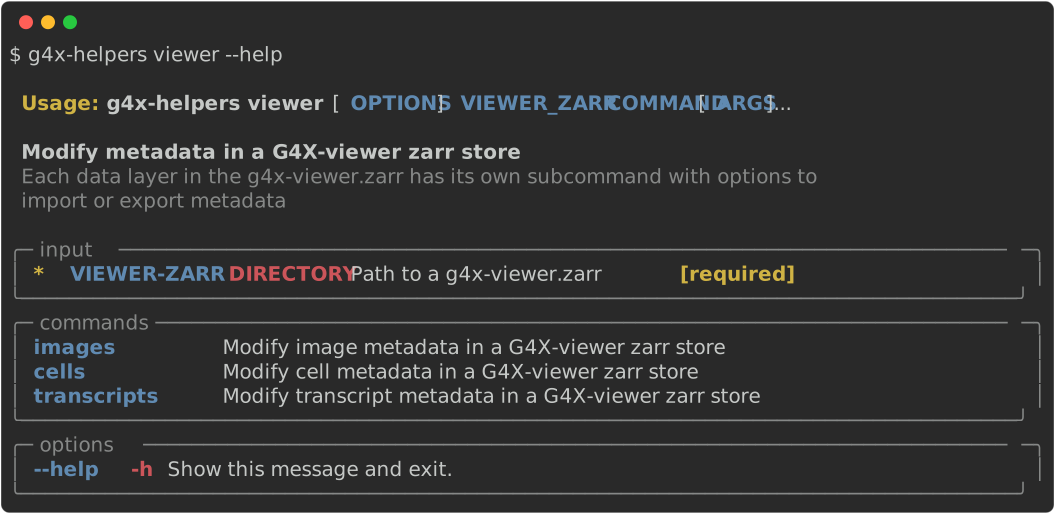
Arguments / Options
VIEWER-ZARR
type : zarr store
example : g4x-data/g4x-viewer.zarr
Positional path to an existing
g4x-viewer.zarrdirectory. The path is provided before theimages,cells, ortranscriptssubcommand.
--export-metadata / -e
type : file path
example : image_metadata.csv
Export the selected layer metadata to a CSV file. Use this file as the safest starting point for edits, because import checks expect the same layer-specific rows and columns.
--import-metadata / -i
type : file path
example : image_metadata_edited.csv
Import a CSV file and update the selected layer metadata in
g4x-viewer.zarr.
Warning
--import-metadata and --export-metadata cannot be used together in the same command.
images
Modify multiplex image channel metadata
Use images to export or update channel labels, visibility, colors, and intensity windows for the multiplex image layer.
The metadata CSV must contain these columns:
| column | description |
|---|---|
label |
Channel label shown in the viewer. |
active |
Whether the channel is enabled by default. |
color |
Channel color, using the exported color format. |
min |
Minimum value for the channel intensity range. |
max |
Maximum value for the channel intensity range. |
start |
Lower value for the initially selected channel window. |
end |
Upper value for the initially selected channel window. |
Imported image metadata must contain the same labels as the existing image layer.
cells
Modify cell labels, colors, and UMAP coordinates
Use cells to export or update cell-level metadata for a segmentation group.
The metadata CSV must include:
| column | description |
|---|---|
cell_id |
Cell identifier. Values and order must match the existing viewer data. |
UMAP1 |
First UMAP coordinate. |
UMAP2 |
Second UMAP coordinate. |
<label> |
One or more categorical cell-label columns. |
<label>_color |
Optional color column paired with a label column. |
If multiple segmentation groups are present, select one with --segmentation:
g4x-helpers viewer path/to/g4x-viewer.zarr cells \
    --segmentation g4x_default_segmentation \
    --export-metadata cell_metadata.csv
transcripts
Modify transcript gene colors
Use transcripts to export or update gene colors for the transcript layer.
The metadata CSV must contain these columns:
| column | description |
|---|---|
gene_id |
Gene identifier. The imported file must contain the same genes as the existing transcript layer. |
color |
Gene color as a hex color string. |
The row order in the imported file becomes the viewer gene order.
⸻