expression heatmap
Learn how to compare expression patterns across selected ROIs using heatmaps.
reference image
features
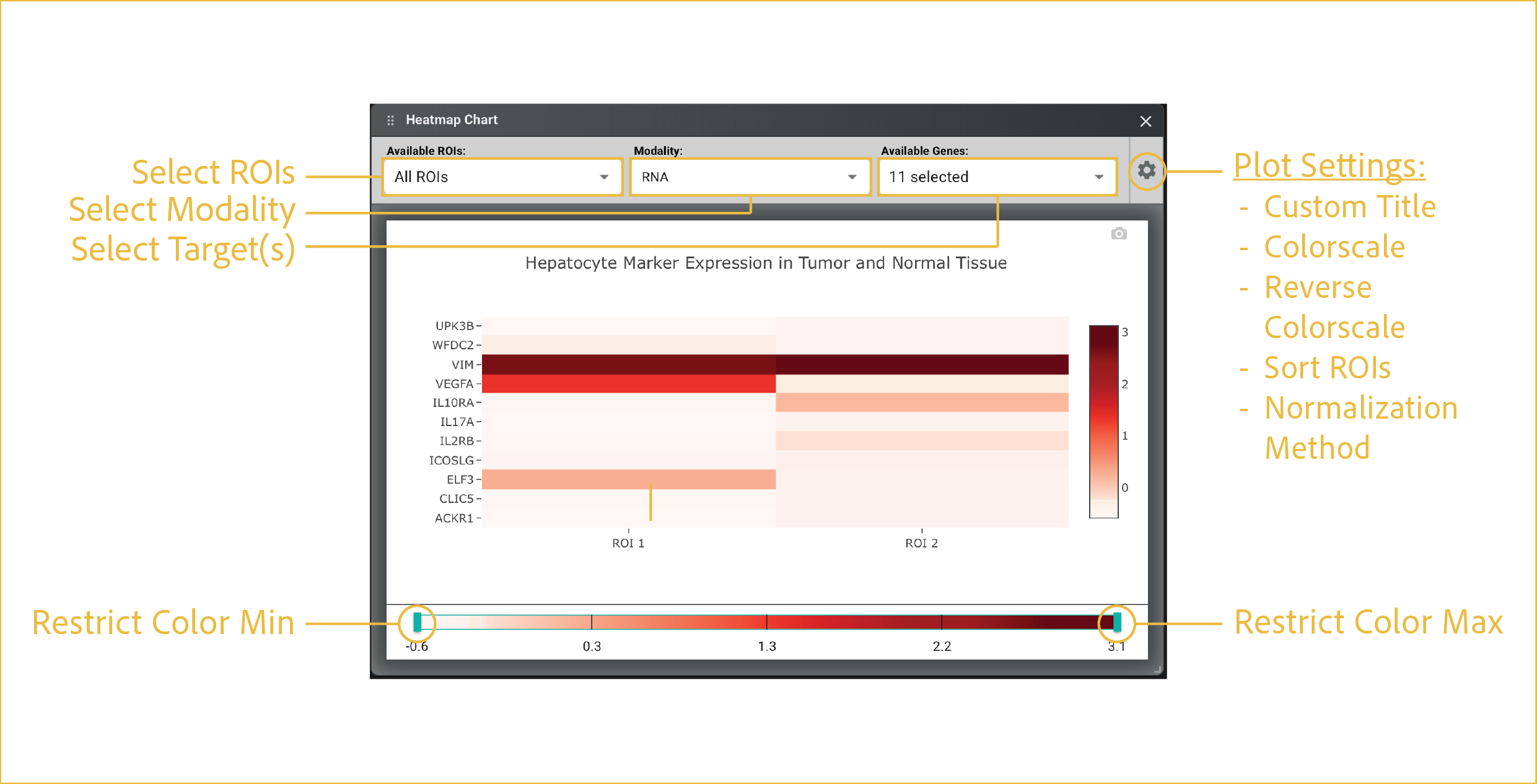
A heatmap chart is most useful for quickly identifying patterns in RNA or protein abundance across ROIs, such as groups of genes or proteins that are co-regulated or samples that cluster together based on their expression profiles. It provides an intuitive visual summary of complex expression data and helps reveal biological differences, trends, and potential outliers.
-
Select ROIs:
This drop down has a multiselect feature which allows you to choose which ROIs to display and compare. You can choose them one-at-a-time by checking each desired box, or you can Select All.
-
Select Modality:
This drop down menu allows you to choose whether to focus on
RNAorprotein. -
Select Target:
This drop down menu allows you to choose which
RNAorproteintargets to display relative abundances of. Unlike box and bar charts, this view can support as many selections as you desire. -
Plot Settings:
The settings menu changes structural aspects of the plot related to axes, colorbars, and labels. This menu is shared across all plots. For each plot, the options are specific to the type of plot that is being made. For heatmap charts, the options are as follows:
- Custom Title: Input a string to display as your plot title.
- Colorscale: Choose the color mapping to be used.
- Reverse Colorscale: Allows the min/max color to be swapped.
- Sort ROIs: Places all ROIs in the order in which they were drawn.
- Normalization Method: Allows you to choose how abundance data is normalized (none, min-max, and z-score).
⸻