fH&E layer
This section describes how to load, display, and adjust the fH&E image layer.
reference image
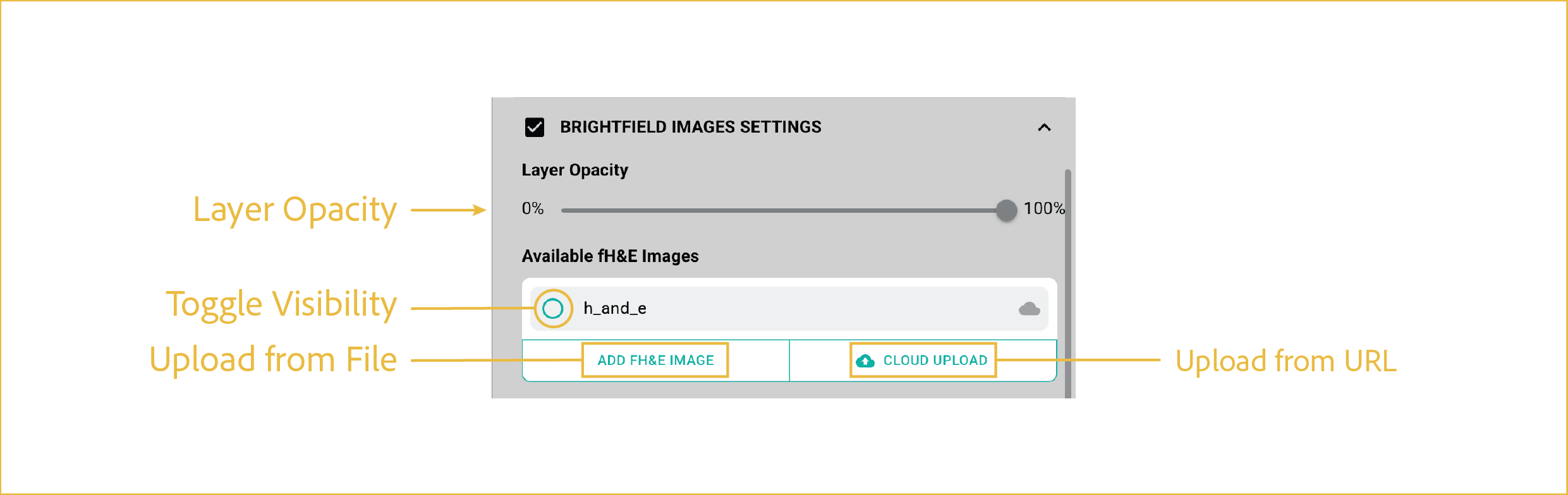
These controls manage fH&E visibility, opacity, and optional image upload.
features
-
Layer Opacity:
Adjusts the transparency of the fH&E image layer.
-
Toggle Visibility:
Shows or hides the fH&E image.
-
Upload Data:
These controls are used to load an fH&E image into the viewer. For Zarr-based datasets, the fH&E image is typically loaded automatically.
- Upload from Cloud: Select an image file from a cloud-based source, such as an Amazon S3 bucket.
- Upload from File: Select an image file from a locally accessible storage device.
⸻